EMS Cybersecurity: Roles, MFA, Audit Logs, and Evidence
EMS cybersecurity is the set of controls inside an energy management system that decide who can reach it, what each person can do, how every action is recorded, and what the appliance is allowed to talk to. In a control system that commands real power, the controls that matter most are the ones that gate dispatch, the ones that keep the audit record attributable and tamper evident, and the ones that answer a reviewer’s questions from the running system rather than from a specification.
In brief
- Access is built from a tier, which decides which screens exist for an account, and permissions, which grant specific abilities on top. Nothing is merely hidden; the system refuses the underlying request as well.
- Three permissions reach the plant: dispatch control, device register writes, and configuration writes. Two can escalate access: user management and roles. Grant all five only to people whose job requires them.
- Password rules, lockout, and inactivity live in one place, the MFA policy in another, and the split is deliberate: password policy is site configuration, MFA enforcement is an administrative decision.
- The audit log is hash chained. Each record covers the one before it, so removing or altering a row breaks the chain, and an exported CSV can be verified away from the appliance.
- The evidence tab reads accounts, routes, packages, configuration, audit integrity, clock sync, and backup state live from the appliance into one downloadable bundle for a reviewer.
Who can do what?
Every account has an access tier, and the tier decides which parts of the interface exist for that person. A viewer reaches monitoring: dashboard, charts, events, records, and help. An operator adds control: system visualization, the control panel, task manager, settings, and services. An engineer adds the configuration screens. Only an administrator reaches administration. The tiers are cumulative, and the clearest way to see the difference is the sidebar, which shows only the groups the signed in account can reach. A viewer never sees the configuration screens, and this is enforced by the system rather than hidden by the interface.
A role binds a tier to a set of permissions, and every account holds exactly one role. Four system roles ship with the product, one per tier, and cannot be edited or deleted. A custom role is a base tier plus individual permission grants, which is what lets a site build a role that is otherwise ordinary but can do one privileged thing: a compliance reviewer at operator tier with the audit log permission reaches the operator screens and the audit log, and still not the configuration screens an engineer would see.
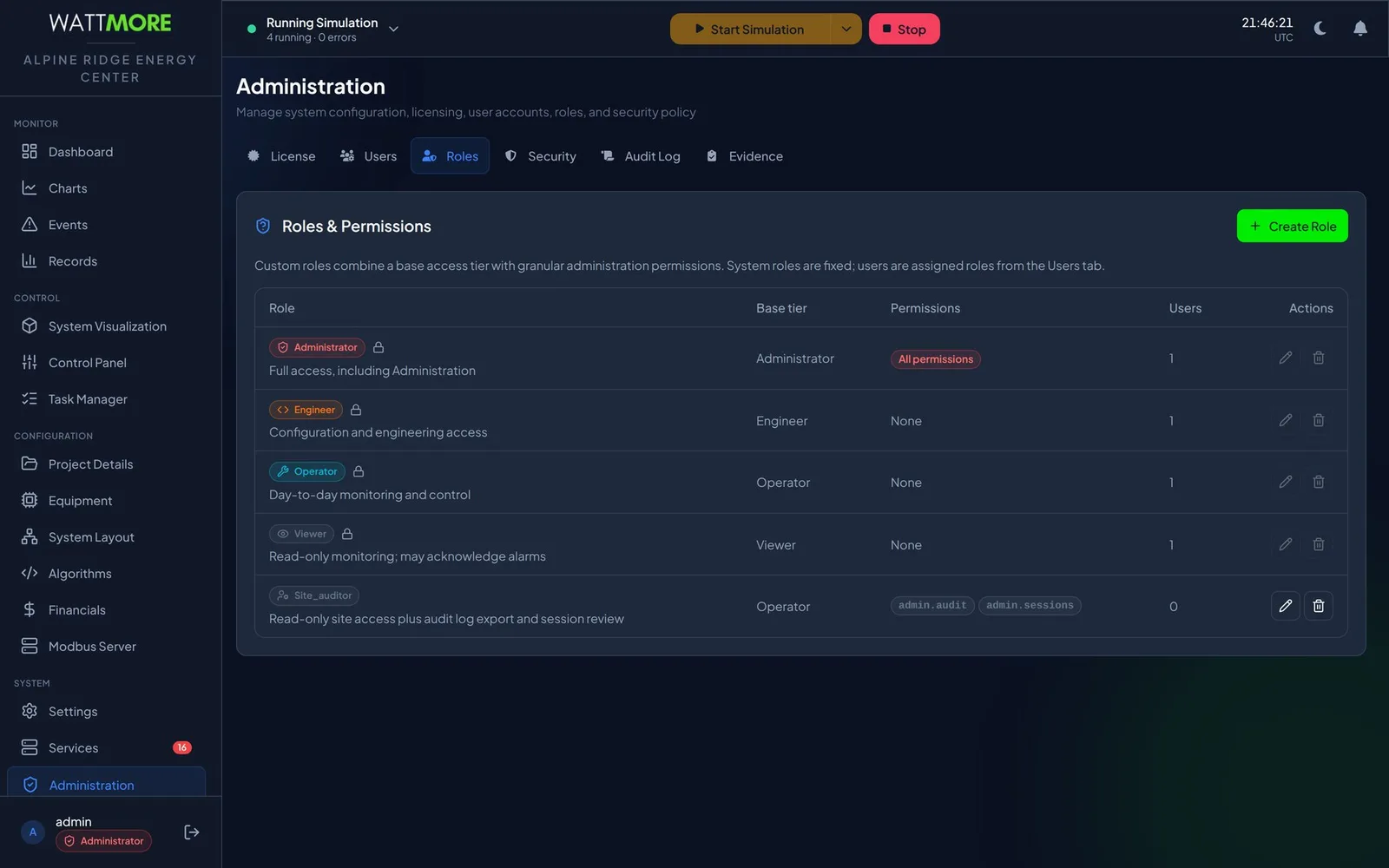
| Person | Role |
|---|---|
| Control room staff who watch but do not command | Viewer |
| Shift operators who start, stop, and dispatch | Operator |
| Commissioning and engineering staff | Engineer |
| The one or two people responsible for the appliance itself | Administrator |
| A compliance reviewer who needs the audit record but must not touch the plant | Custom role: operator tier plus the audit log permission |
Which permissions move power?
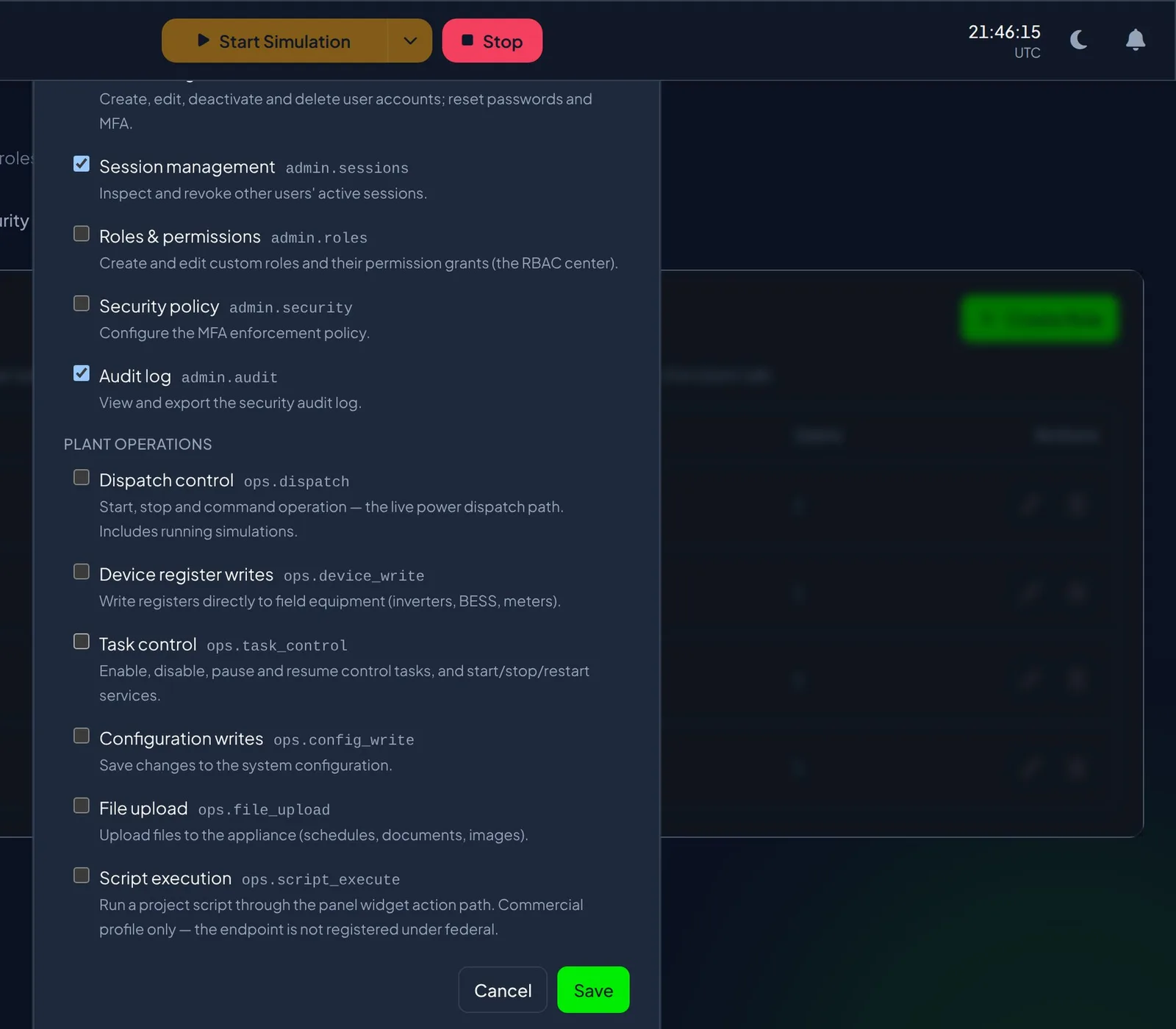
Permissions are grouped as administration and plant operations. On the administration side: user management, session management, roles and permissions, security policy, and the audit log. On the plant side: dispatch control, which covers starting, stopping, and commanding operation including simulations; device register writes, which write directly to field equipment; task control; configuration writes; file upload; and script execution.
Three permissions reach the plant, dispatch control, device register writes, and configuration writes, and two can escalate access, user management and roles and permissions, because an account with either can grant itself or anyone else anything. The manual’s advice is to build custom roles from the lowest tier that works and add single permissions, rather than promoting someone to engineer or administrator to solve one problem, and to review who holds the five sensitive grants on a schedule rather than only when somebody leaves.
How are passwords, lockout, and sessions governed?
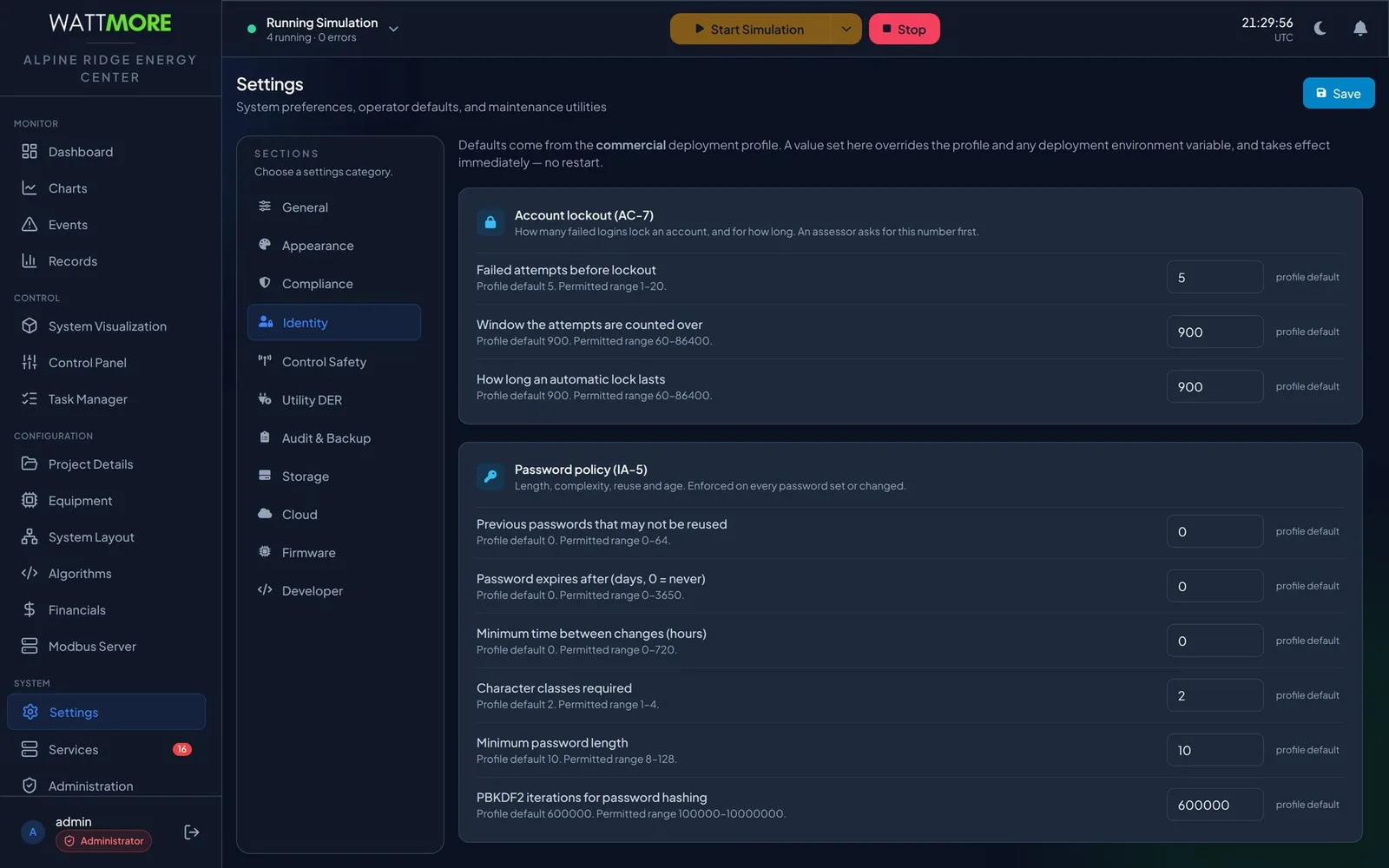
Password rules are enforced everywhere a password is set: at first start, when an administrator creates an account, when a user changes their own password, and when a user completes a forced change. The policy fields are history depth, maximum age, minimum time between changes, character classes required, minimum length, and the PBKDF2 work factor applied when a password is hashed. The rules a user must satisfy are shown live beneath the password field and turn green as each is met, and the list is generated from the policy, so it changes when the policy changes.
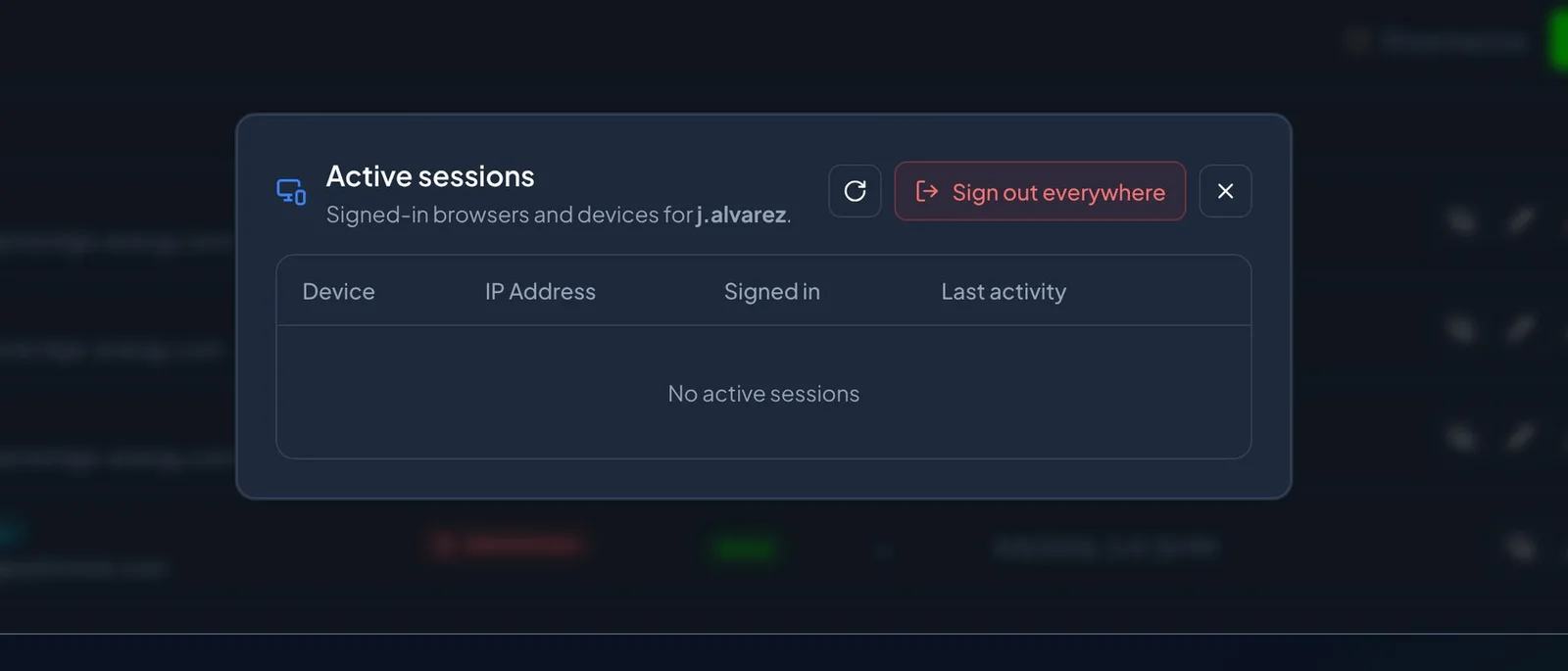
Lockout limits how fast an attacker can guess. Three numbers define it: failed attempts before lockout, the window they are counted over, and how long a lock lasts, with defaults of five attempts over fifteen minutes and a fifteen minute lock, which allows roughly twenty guesses an hour. A locked account refuses correct credentials too, and the sign in overlay shows the same invalid username or password message either way, because telling the person the account is locked would tell an attacker they had found a real account. Sessions end when a user signs out, when a password changes, when an administrator or the user revokes them, or when an account falls inactive past a configurable threshold.
| Setting | Baseline |
|---|---|
| Minimum password length | 12 characters or more |
| Character classes required | 3 |
| Previous passwords that may not be reused | 5 or more |
| Password expiry | 0, do not expire passwords that are long and unique; expiry drives predictable variations |
| Failed attempts before lockout | 5, counted over 900 seconds, with a 900 second lock |
| Disable an account unused for | 90 days |
| MFA policy | Required for specific roles, covering administrator and engineer at minimum, with a 7 day grace period |
| Audit retention | 365 days, with archives offloaded routinely |
How is multifactor authentication enforced?
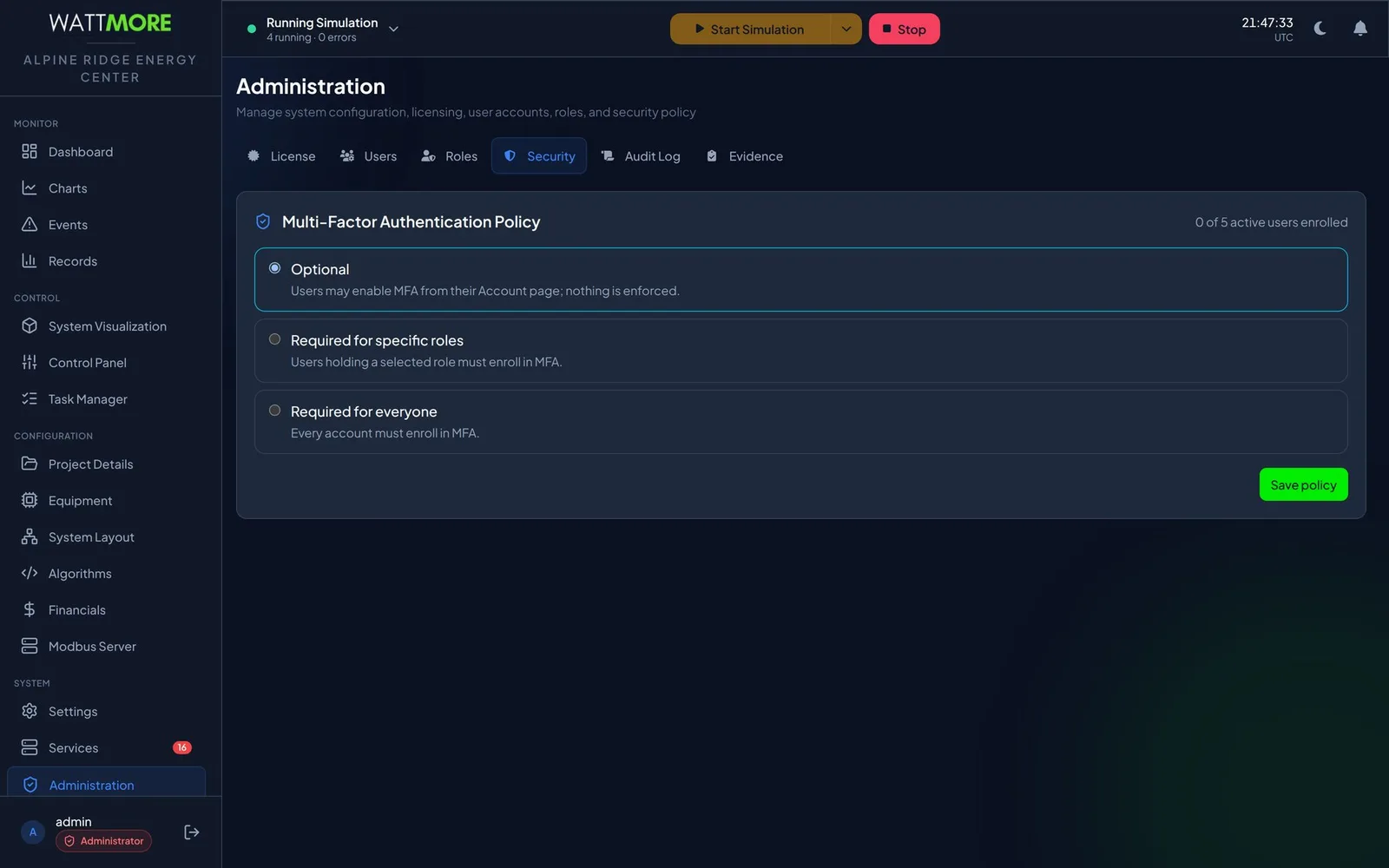
Multifactor authentication requires a six digit code from an authenticator application in addition to the password. The policy, who has to enroll, is set by an administrator: optional, required for specific roles, or required for everyone, with a grace period in days during which covered users can keep signing in normally. After the deadline, sign in proceeds only through enrollment, which then happens at the sign in overlay itself with a QR code and a confirming code. Enrollment is performed by each user on their own account page; an administrator cannot enroll somebody else and cannot see their secret.
Enrollment issues a set of single use backup codes shown once. If a user loses the device holding the authenticator and has no unused backup code, they cannot sign in, and recovery is an administrator action that resets the password and the enrollment. A site where the only administrator has lost both is a serious problem, which is why the manual asks sites to plan for it before it happens. Declaring the site a Department of Defense installation makes MFA mandatory for administrators regardless of the policy set here.
What does the audit log record, and how is it protected?
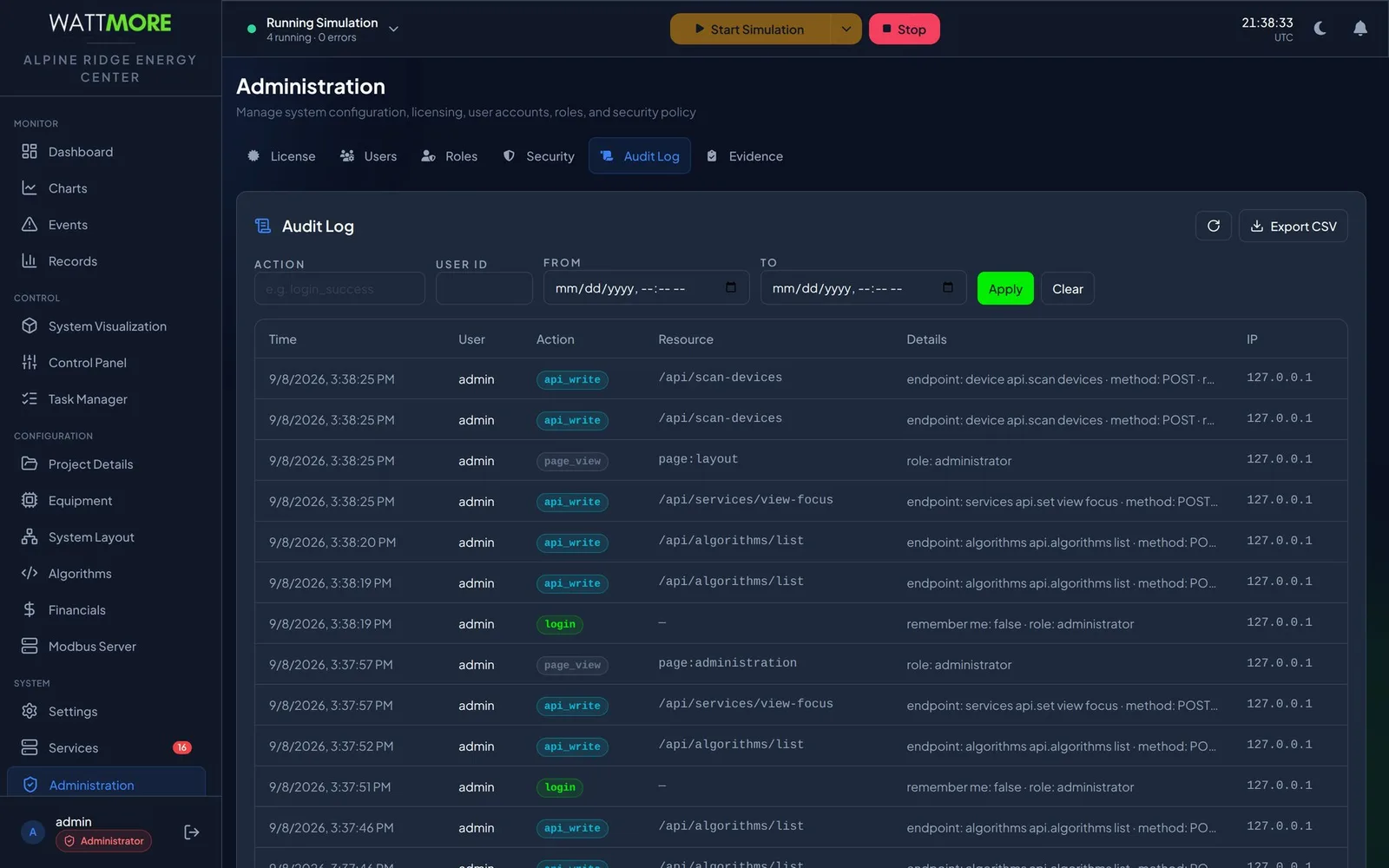
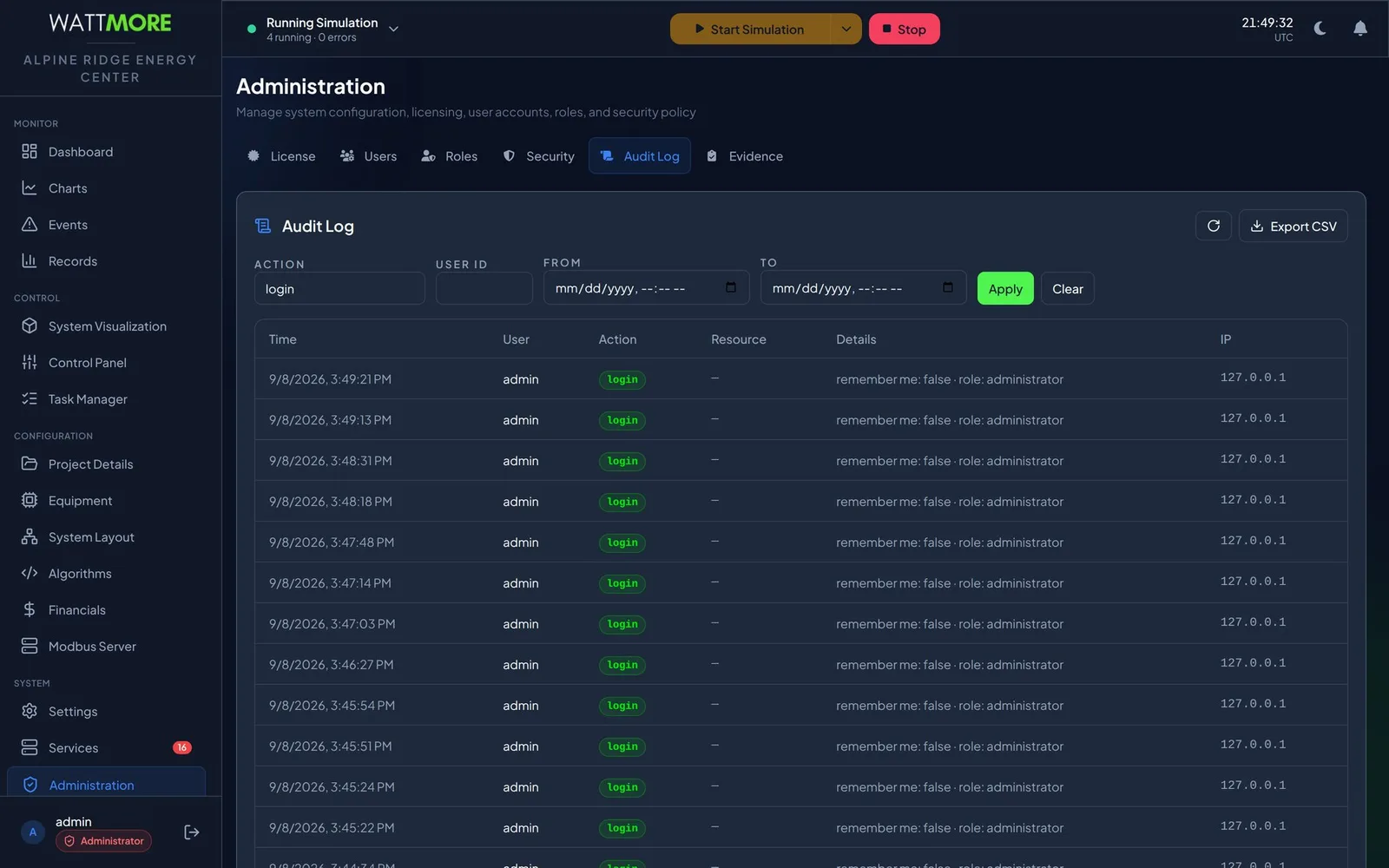
The audit log records security relevant activity on the appliance: who signed in, what pages they opened, what they wrote, and what changed as a result. Entries are written by the system and nothing on the screen edits them. A sign in row records whether remember me was ticked and the role the session was granted; an API write row names the endpoint and the HTTP method, which tells you what was changed rather than merely that something was. It is distinct from the event log, which records what the plant did.
Audit entries are chained: each record carries a hash that covers the record before it, so removing or altering a row breaks the chain from that point on. The evidence tab reports the state of the chain, and an exported CSV carries the chain columns so a recipient can recompute the chain without access to the appliance, following a published procedure. Every record can also be forwarded to an external collector over syslog with TLS, spooled on disk if the collector is unreachable, and the site can choose whether a full spool continues and alarms or refuses state changing requests. Expiring records are written to a signed archive and verified before any row is deleted; a failed archive aborts the purge.
What can the appliance reach?
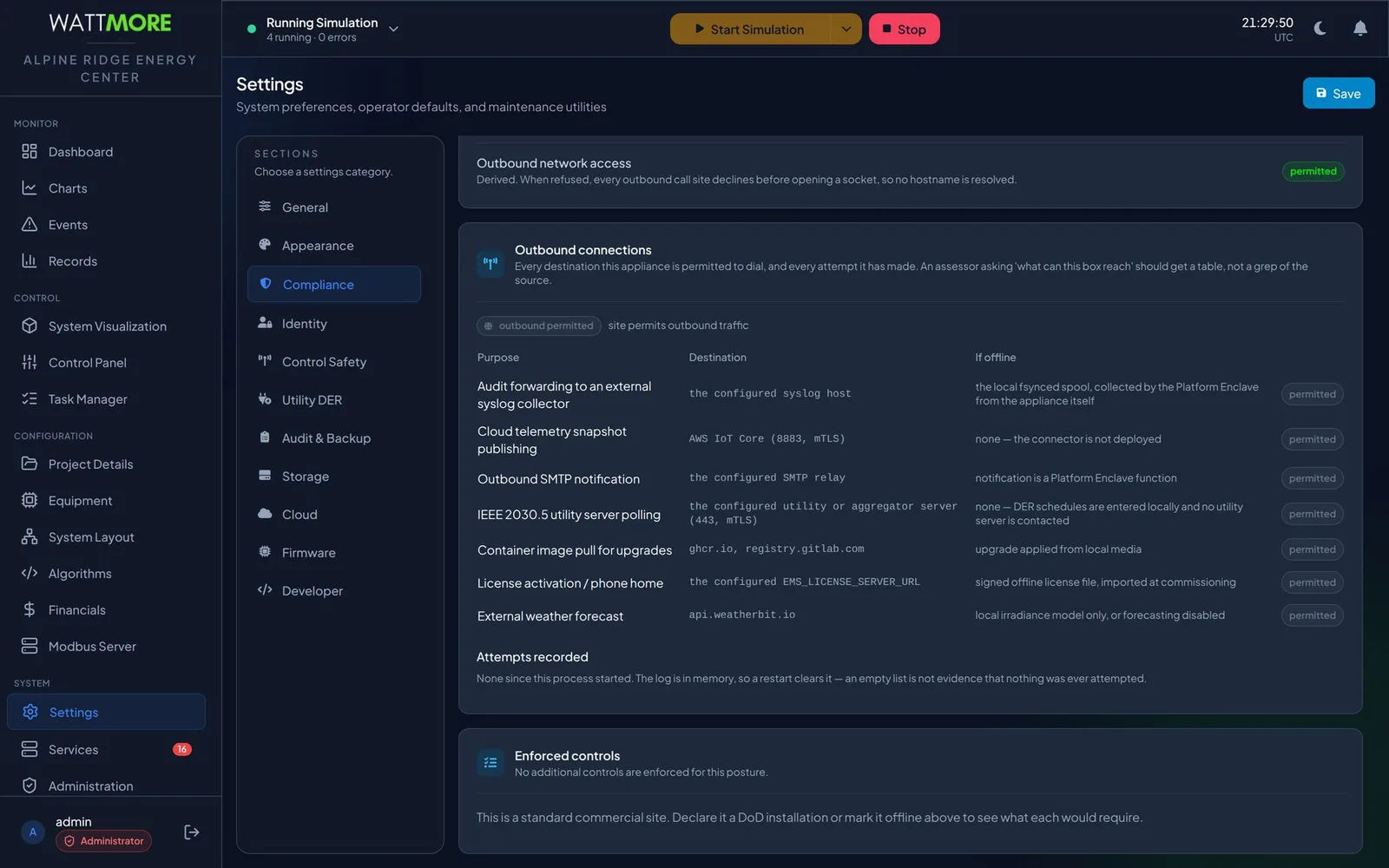
The first question an assessor asks is what the box can reach, and the compliance settings answer it as a table rather than a grep of the source: each outbound purpose, its destination, and what happens to that function when the site is offline. The purposes are audit forwarding to a syslog collector, cloud telemetry publishing, outbound email notification, IEEE 2030.5 utility server polling, image pulls for upgrades, license activation, and an external weather forecast. None is required for the plant to run.
A site declared offline stops all outbound traffic at source: every outbound call declines before opening a socket, so no host name is resolved. Licensing switches to a signed offline file, updates are applied from local media, and audit records stay in the local spool. Declaring a site a Department of Defense installation turns on a notice and consent banner, mandatory MFA for administrators, a FIPS approved password key derivation function, the DoD password policy, and DoD audit retention. The banner asserts the reader is on a US Government system, so it stays off at a commercial site.
What does a reviewer get?
The evidence tab gathers, from the running appliance, the answers a compliance reviewer asks for: accounts and roles, listening routes with the tier and permissions each requires, installed packages, applied configuration, audit integrity, time synchronization, and backup state. It reads them live rather than from a stored report, so the answer is always the current one, and it downloads as one bundle that is handed over as it is. Reach for it during an internal audit, a customer security questionnaire, a compliance assessment ahead of handover, or an incident review.
Supporting documents ship with the appliance and are downloaded from the help section: the control family summary, the audit log verification procedure, the flaw remediation process, the least functionality statement, the ports and protocols registration, the software bill of materials in CycloneDX JSON regenerated on every build, the STIG self assessment, the IEEE 2030.5 capability statement and implementation conformance statement, and the hardening and commissioning steps to complete before an appliance is connected to a site. The tab answers questions about this appliance as it is running now; the documents answer questions about what the product is. A review normally wants both.
Intellect Operate
Intellect Operate is the WATTMORE energy management system shown in these screenshots. It ships with tiered access, least privilege permissions, enforced MFA, a hash chained audit log with syslog forwarding, and an evidence bundle for reviewers.
Frequently asked questions
- What cybersecurity standards apply to a battery storage EMS?
- The ones most often asked for are IEC 62443 for industrial automation and control system security, UL 2900 for software cybersecurity in industrial control products, and NERC CIP where the site is part of the bulk electric system. A DoD installation adds the STIG baseline and FIPS approved cryptography. The controls described here, tiered access, least privilege permissions, MFA, a tamper evident audit record, and a documented network posture, are what those frameworks ask an operator to demonstrate.
- Why should every operator have their own account?
- Because the audit log attributes every action to the account that performed it. A shared account makes the record unattributable: every action is attributed to whoever the account is rather than to whoever did it. The manual’s guidance is a named account for every person, the lowest tier that lets them do their job, and deactivation rather than deletion when access ends so the audit trail stays explicable.
- What is the difference between the audit log and the event log?
- The audit log records who did what in the software: sign ins, page views, configuration writes, user and role changes. The event log records what the plant did: device alarms raising and clearing, devices going offline, tasks failing, the control system starting and stopping. Charts and the dashboard answer a third question, what the measurements did. Confusing the three wastes time in an investigation.
- Can an administrator see a user’s MFA secret or backup codes?
- No. Enrollment is performed by the account holder on their own account page, the secret is never shown to anyone else, and backup codes are shown once at enrollment. An administrator can see whether an account is enrolled, require enrollment through policy, and reset an enrollment so the user can enroll again, but cannot complete enrollment for them.
- How is the audit log protected from tampering?
- Each record carries a hash that covers the record before it, so the online record forms a chain, and removing or altering a row breaks the chain from that point on. The evidence tab reports whether the chain is intact, exported CSVs carry the chain columns for independent verification, records can be forwarded live to an external collector so a problem with the appliance cannot take the record with it, and expiring records are archived and verified before any row is purged.
Sources
- INTELLECT EMS 4.0 Operator and Administrator Manual, Chapters 20, 22, 23, and 24, WATTMORE, Inc.
- IEC 62443, Industrial Communication Networks, Security for Industrial Automation and Control Systems, International Society of Automation
- NIST Special Publication 800-53, Security and Privacy Controls for Information Systems and Organizations, National Institute of Standards and Technology
- NIST Special Publication 800-82, Guide to Operational Technology Security, National Institute of Standards and Technology
- RFC 5424, The Syslog Protocol, Internet Engineering Task Force